


Kidstudio Ai review: what it really does, who it is for, and what to watch out for
If you are searching for a straight, practical Kidstudio Ai review, you are likely trying to answer one question: can Kidstudio AI help you produce kid friendly learning content faster without sacrificing quality. After exploring the platform at KidstudioAI.com and evaluating it from the perspective of parents, teachers, tutors, and children’s content creators, this review breaks down the tool’s strengths, limitations, ideal workflows, and the situations where you should skip it.
The promise is simple: turn prompts into ready to use kids content such as worksheets, coloring pages, stories, activities, and visual assets, without needing advanced design skills. In reality, success depends on how you structure prompts, how you handle age appropriateness, and how you package outputs for your specific audience. This review focuses on those decision points.
What is Kidstudio AI
Kidstudio AI is positioned as an AI powered content creation suite for children’s learning and entertainment materials. The product’s core value is speed: you describe what you want, then it generates content you can refine and export. That includes text based outputs like stories or activity instructions, and also visually oriented outputs like printable pages, simple illustrations, and layouts suitable for classroom or home use.
From a user experience perspective, Kidstudio AI aims to reduce friction in three areas:
- Ideation when you are stuck and need themes, lesson ideas, or creative prompts.
- Production when you need multiple variants of a worksheet, activity, or story fast.
- Formatting so the output is closer to print ready or shareable without heavy design work.
Who should consider Kidstudio AI
This Kidstudio Ai review is not just about features, it is about fit. The best results come when the buyer has a repeatable reason to create kids materials weekly or daily.

Parents and caregivers
If you want screen light activities, rainy day resources, bedtime stories with personalized themes, or basic learning practice, Kidstudio AI can shorten your planning time. The key is to pick clear learning goals and request age appropriate complexity.
Teachers and homeschool educators
Educators often need multiple differentiated versions of similar material. Kidstudio AI is useful when you want to generate:
- Multiple difficulty levels for the same worksheet
- Theme based activity sets tied to seasons or classroom units
- Short stories that reinforce vocabulary or social emotional lessons
Tutors and after school programs
For 1 to 1 tutoring, the value is personalization. You can quickly tailor content to a learner’s interests, like sports, animals, or space, which increases engagement without extra prep hours.
Kids content creators and small sellers
If you create printables, digital worksheets, activity books, or classroom packs, the tool can speed up the first draft stage. You still need human review for accuracy, originality, and brand consistency, but it can help you ship more consistent output on a schedule.
If you want to see what you can build quickly, start here: Get Kidstudio AI access now and test it with one real project you need this week.
What Kidstudio AI can generate in practice
Kidstudio AI typically shines with structured content where you can define constraints. The more specific you are, the less time you spend editing. Here are common output categories that users tend to want, and where the tool is most helpful.
Worksheets and practice sheets
Examples include counting, tracing, matching, basic grammar, reading comprehension prompts, and simple word problems. For worksheets, your prompt should specify:
- Age or grade band
- Skill target and difficulty
- Number of questions
- Answer key requirement
- Theme to increase engagement
Coloring pages and simple art prompts
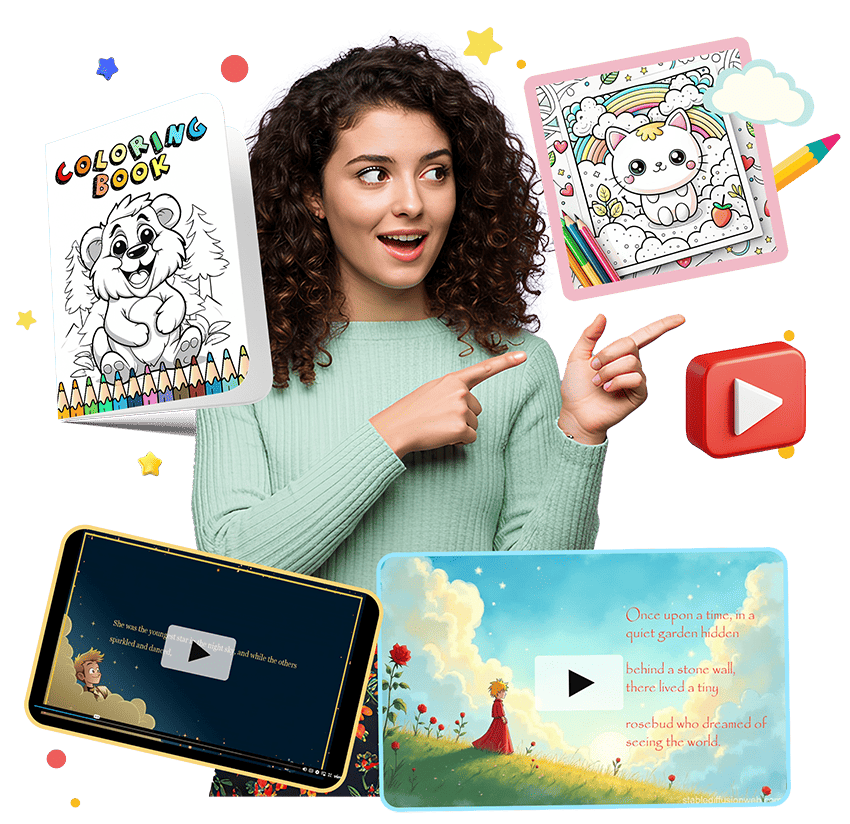
Visual outputs can be strong when you request simple scenes and clear outlines. If you need consistent character style across many pages, expect to iterate and curate, because AI may vary style from page to page unless the tool provides strict style controls.
Short stories and reading passages
For stories, you should specify reading level, word count, moral or lesson, and any constraints. If you want decodable text or phonics alignment, you will need careful prompting and manual review.
Activity ideas and lesson plans
Idea generation is one of the easiest wins. It is useful for thematic units, party activities, classroom centers, and seasonal packs. For lesson plan style outputs, make sure you request clear objectives, materials list, estimated time, and step by step procedure.
Games, puzzles, and brain teasers
Word searches, mazes, simple riddles, and matching games are common. Quality varies based on the complexity you request. Keep the first version simple, then ask for improvements like a larger puzzle grid, theme word lists, or multiple variants.
Kidstudio Ai review: 9 meaningful wins
Below are the real benefits, framed as outcomes you can measure. These are the wins that typically make a kids content AI tool worth paying for.
1. Faster draft creation for repeatable content
When you need many variations of similar content, the time savings compound. Instead of creating 10 worksheets manually, you can generate drafts, pick the best, and refine.
2. Built for kid appropriate tone
Many general AI tools can generate children’s content, but they are not always consistent with tone and simplicity. Kidstudio AI is positioned to be more aligned with the voice and structure typical for kids materials.
3. Easy theme switching
You can turn a standard learning objective into multiple themed versions. For example, the same counting worksheet can become dinosaurs, ocean animals, or space missions. This matters because kids engagement is often driven by theme more than the skill itself.
4. Supports personalization at scale
If you work with many students or customers, personalization becomes a differentiator. You can generate content that references a child’s favorite topics while keeping the learning target stable.
5. Helps non designers produce presentable materials
If your pain point is design, tools like this can reduce the gap between a text document and something that looks like a worksheet. You still need quality control, but it can raise the baseline.
6. Great for brainstorming and overcoming creative fatigue
Even experienced educators hit the wall. A tool that can generate 30 activity ideas in minutes is valuable when planning weekly content, camps, or holiday units.
7. Output can be repurposed into bundles
One strong worksheet can become a whole pack. For sellers, the workflow often looks like: generate drafts, curate the best, standardize formatting, then bundle into themed sets.
8. Helps maintain consistent difficulty levels
When prompted correctly, it can produce easy, medium, and challenging variants that align to the same skill target. That consistency is useful for differentiation.
9. Useful for both print and digital learning
Many activities work as printables, but can also be used in digital classrooms as PDFs or images. That flexibility makes your content more reusable.
Kidstudio Ai review: brutal flaws and limitations you should know
No honest Kidstudio Ai review should pretend AI output is always correct or classroom ready. Here are the main risks that show up in real usage, and how to reduce them.
1. You still need human review for accuracy and appropriateness
Math problems can contain small errors. Reading passages can include awkward phrasing. Some topics can be unintentionally sensitive. If you publish or distribute materials, you need a review step.
2. Style consistency can be hard for large visual projects
If you are creating a full book or a character driven series, AI visuals may drift. A workaround is to keep scenes simple, reduce the number of unique characters, and curate outputs aggressively.
3. Over generic prompts create bland content
The tool rewards specificity. If you prompt with something like “make a worksheet for kids,” you will get generic results. If you define constraints, you get better output.
4. Formatting may require polishing
Even if the output is close to printable, you may want to standardize margins, fonts, and layout across a bundle. If you sell content, consistency is part of perceived value.
5. Not a replacement for curriculum expertise
AI can draft materials, but it cannot fully understand your local standards, your student needs, or the instructional sequence you are building. Treat it as a production assistant, not the teacher.
Best use cases where Kidstudio AI feels like a cheat code
In this section of the Kidstudio Ai review, the focus is on scenarios where users typically see immediate value.
Weekly worksheet production for a classroom or tutoring practice
If you create 5 to 20 pages per week, automation pays off fast. You can generate multiple variants and keep your materials fresh without reinventing the wheel.
Seasonal and holiday activity packs
Holiday themed packs are easy to sell and easy to distribute. Kidstudio AI is helpful because you can keep the learning objectives steady and change only the theme.
Personalized bedtime stories
Parents can generate stories that match a child’s interests. For best results, specify length, tone, and the lesson you want reinforced, like kindness or persistence.
Low prep learning stations and centers
Need a quick set of activities for small groups. Ask for station instructions, printable prompts, and a simple rubric for checking understanding.
Lead magnets and email list builders for creators
If you run a blog or a small store, you can create a free mini pack as an email opt in. AI helps you prototype quickly, then you refine for brand quality.
Want a fast path to your first printable pack. Use Kidstudio AI here and generate three themed versions of one worksheet, then bundle the best set.
How to prompt Kidstudio AI for high quality output
The difference between average and excellent results is usually the prompt. Below are prompt patterns you can reuse. They are written in a way that keeps the content kid safe and instructionally clear.
Prompt pattern for worksheets
Template
Create a printable worksheet for children aged [age range]. Skill goal: [specific skill]. Difficulty: [easy, medium, hard]. Theme: [theme]. Include [number] questions. Provide an answer key. Keep instructions short and kid friendly.
Prompt pattern for reading passages
Template
Write a [word count] word story for kids aged [age range] at [reading level]. Theme: [theme]. Include a clear beginning, middle, and end. Add 5 comprehension questions and an answer key. Avoid scary or sensitive topics.
Prompt pattern for activity packs
Template
Create a set of [number] activities for kids aged [age range] around the theme [theme]. For each activity include objective, materials, steps, and a quick variation for advanced learners. Keep prep minimal and use household materials where possible.
Prompt pattern for differentiation
Template
Create three versions of the same worksheet: easy, medium, and challenging. Keep the same learning objective: [objective]. Use the theme [theme]. Provide answer keys for each version.
Quality control checklist before you print or sell
This step matters if you distribute content publicly. Use this checklist every time, especially if you are selling products or using them in a classroom.
- Accuracy: verify answers, spelling, and instructions
- Age appropriateness: confirm vocabulary and complexity match your intended age
- Clarity: check that directions are short and unambiguous
- Sensitivity: avoid topics that could be culturally or emotionally inappropriate
- Consistency: align fonts, spacing, and layout across a bundle
- Print test: print one page to confirm margins and readability
Kidstudio AI versus general AI tools
Many people ask why they should not just use a general chatbot or a design tool. Here is the practical difference: general tools can produce content, but they usually require you to combine multiple apps to get from idea to printable. A specialized tool aims to keep you in one workflow so you move faster from prompt to a usable output.
That said, general tools may still be better for:
- Highly technical curriculum design
- Advanced illustration style control
- Complex multi chapter books with strict continuity
Kidstudio AI tends to win when your goal is quick, repeatable kids content with a short iteration cycle.
How creators can turn Kidstudio AI outputs into revenue
This section is for people who want more than personal use. If you are building a side income or a small business around kids printables, the tool can fit into a conversion focused workflow.
Create a product ladder
A simple ladder looks like this:
- Free mini pack to build trust and an email list
- Low cost themed pack like a 20 page activity set
- Premium bundle with multiple themes, answer keys, and a teacher guide
AI helps you accelerate the first draft stage, but your competitive advantage is packaging and quality. Add clean formatting, consistent design, and clear learning outcomes.
Bundle by outcome, not by topic
Instead of selling “dinosaur worksheets,” consider selling “30 minutes per day readiness practice.” Buyers prefer outcomes. Use themes as a hook, not the core promise.
Make differentiation a selling point
Offer easy, medium, and challenging versions. Parents and teachers love content that grows with the child.
Pricing value: when Kidstudio AI is worth it
Value depends on frequency of use. If you generate only one worksheet per month, you might be fine with manual creation. If you create materials weekly, or you sell content, the time saved can be significant.
Here is a practical way to decide:
- If you spend more than 2 hours per week creating kids content, an AI assistant can pay for itself in saved time.
- If you sell printables, a tool that helps you ship more products can increase revenue, assuming quality remains high.
My recommendation after this Kidstudio Ai review
Kidstudio AI is a strong fit for parents, teachers, and creators who want a faster way to produce kid friendly materials and are willing to review and refine outputs. It is not magic, and it is not a substitute for educational judgment. But as a production assistant for repeatable content, it can be genuinely effective.
If you decide to try it, your best first project is narrow and measurable: one skill, three difficulty levels, one theme. Build a small pack, test it with a child or a student, then iterate.
Ready to build your first set and see real output quickly. Click Kidstudio AI now and generate a complete themed worksheet pack in one session.
👉 See more related articles here: AI StoryBooks Review: 9 Powerful Pros, 3 Brutal Cons